Shelf Gap Tracker
A professional field tool for beer & beverage merchandisers — log shelf gaps fast, check the back room, and send clean reports without paperwork. Try it on the floor and tell us what works.
Shelf Gap Tracker
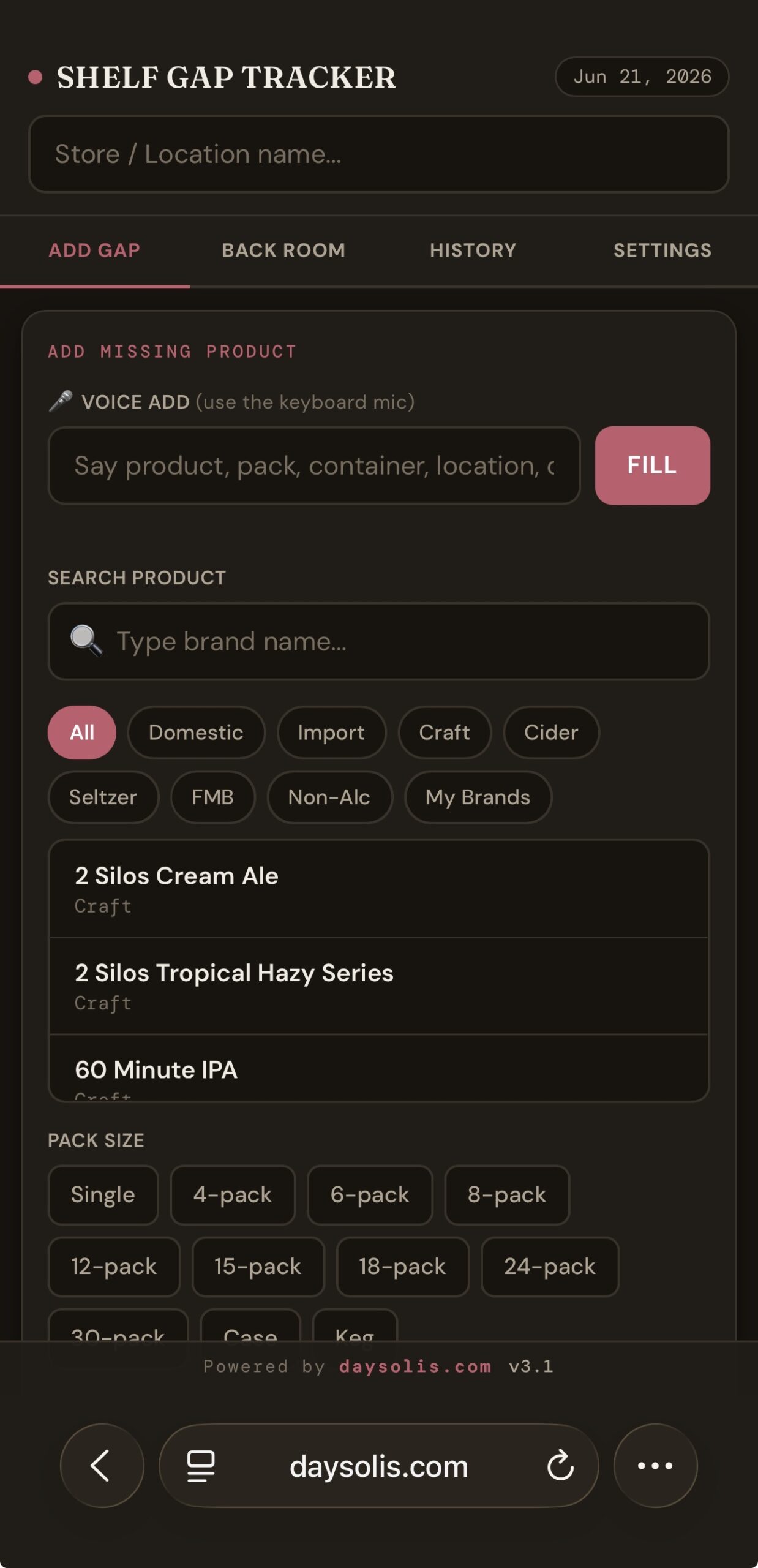
Advanced product search across 400+ SKUs with category filters. Tab navigation, back room check workflow, and two auto-generated reports — built for full store visits.
- 400+ SKUs — Domestic, Import, Craft, Cider, Seltzer, FMB
- Smart search + custom brand support
- Back room check → auto order report
- Two reports generated · one-tap email
- Works offline · no signup
Shelf Gap Tracker
Shelf Gap Tracker is a professional field tool built for beer and beverage merchandisers who need to move fast, stay organized, and report accurately — without paperwork.
Designed by merchandisers, for merchandisers. Every feature reflects real workflows on the floor.
How It WorksWalk the floor. Log every gap in seconds. Head to the back room with a clear list. Mark what you found. Generate two professional reports with one tap. Done.
No more handwritten notes. No more forgotten SKUs. No more missed orders.
Key FeaturesSearch across 400+ beer and beverage SKUs instantly. Filter by category — Domestic, Import, Craft, Cider, Hard Seltzer, FMB, Non-Alcoholic — or browse your own custom brands.
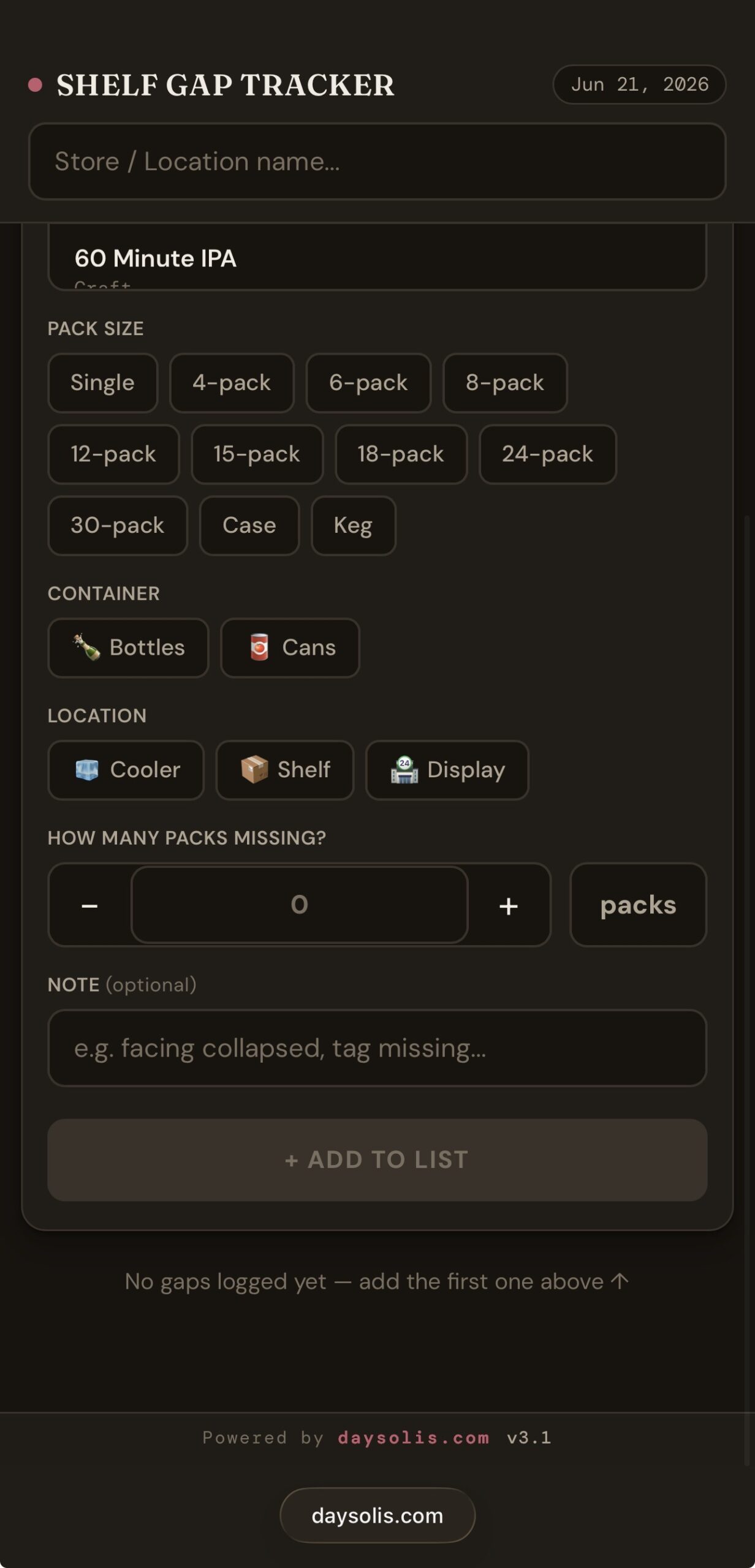
Tag every gap by placement — Cooler, Shelf, or Floor Display. Reports are automatically grouped by location so your team knows exactly where to stock.
Single, 4-pack, 6-pack, 8-pack, 12-pack, 15-pack, 18-pack, 24-pack, 30-pack, Case, and Keg. Every format covered.
After logging gaps on the floor, head to the back room and check off every product you find. Unmarked items automatically flow into the Order Report — nothing falls through the cracks.
Back Room Report confirms what you found and stocked. Order Report lists everything not found — ready to send to your sales manager or buyer.
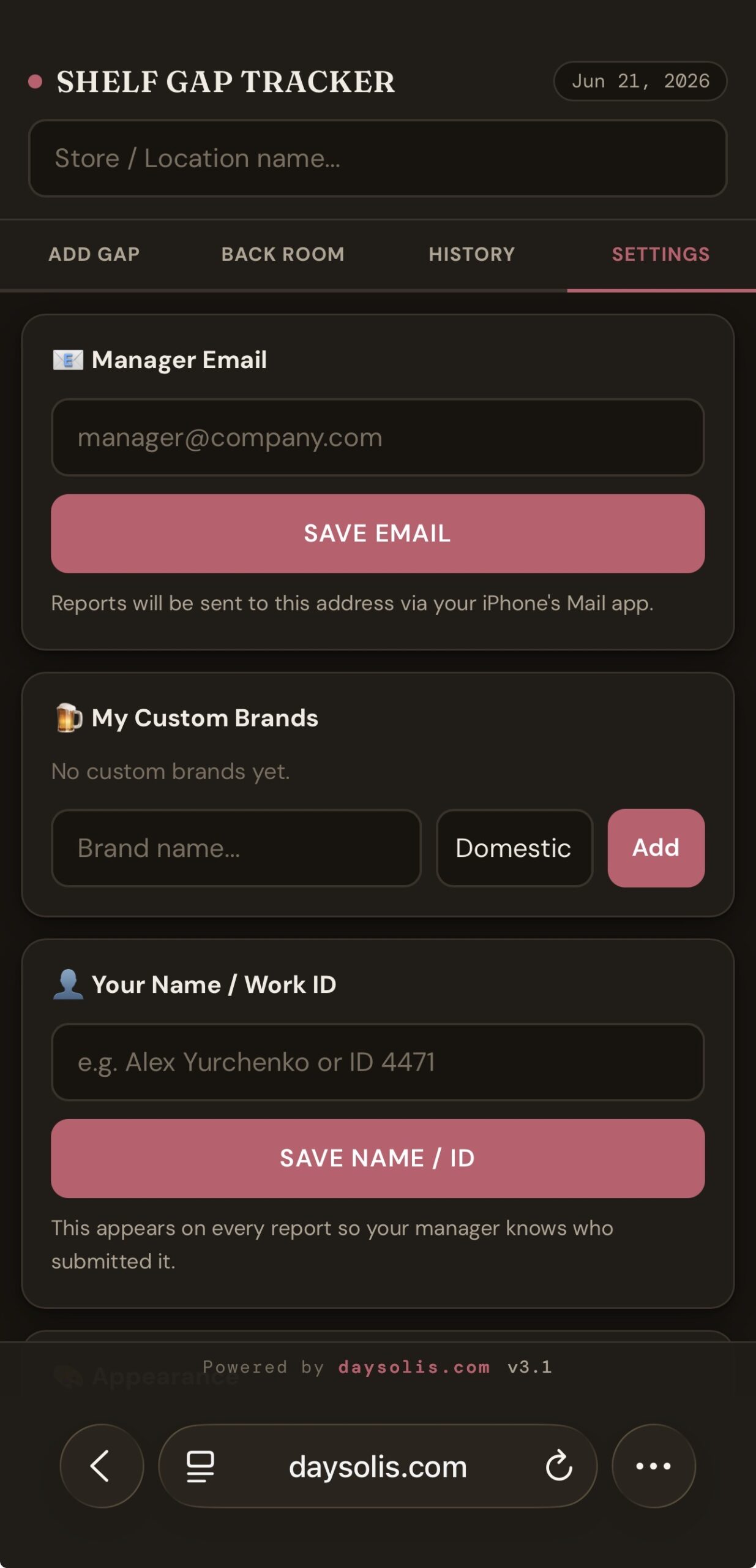
Send both reports directly from your iPhone to your manager, supervisor, or sales team. No copying, no typing — straight to the right inbox.
Every completed report is saved on your device. Review past visits by store and date anytime, even offline.
Add any brand not in the default list. Assign it a category and it appears instantly in your product search. Your custom list stays saved between sessions.
- Beer & beverage merchandisers
- Field sales representatives
- DSD route drivers
- Retail supervisors and team leads
- Distributors managing multiple accounts
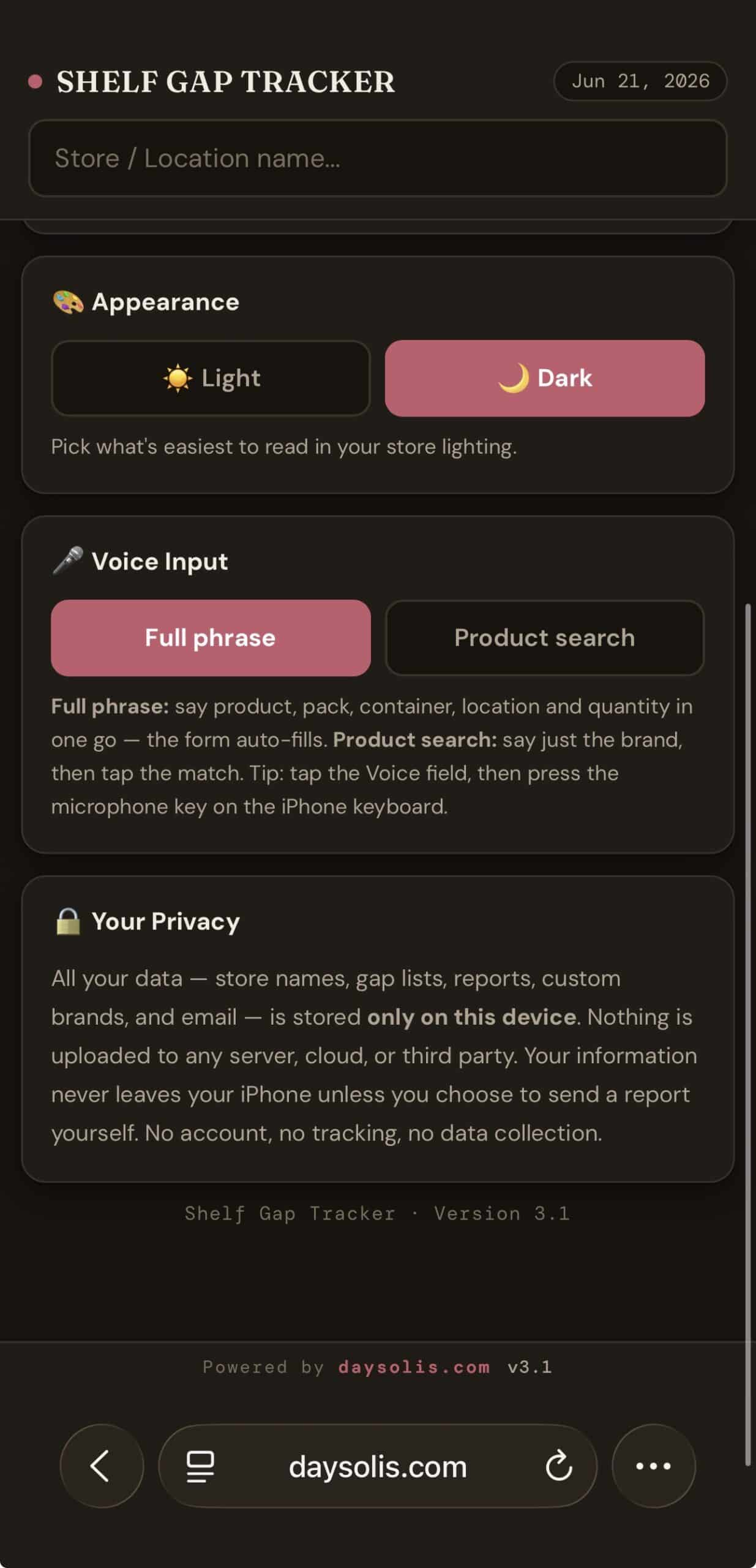
Shelf Gap Tracker stores all data locally on your device. No account required. No data is sent to any server. Your reports stay on your iPhone until you choose to share them.
Using Shelf Gap Tracker
A complete store visit in seven simple steps — from the sales floor to the back room to the final report. No training required.
Enter the store
Start by typing the store or location name in the field at the top. This labels your report so your manager knows exactly which account it came from.
Find the product
Begin typing a product name and it appears in the list below. To narrow the search faster, tap a category filter first — Domestic Import Craft Cider Seltzer FMB — then pick the product from the shortened list. If a brand isn’t there, add it under My Brands in Settings.
Choose pack size
Select the package format that’s missing — from Single all the way up to Keg: 4-pack, 6-pack, 8-pack, 12-pack, 15-pack, 18-pack, 24-pack, 30-pack, or Case.
Mark the placement
Tell the app where the product belongs: 🧊 Cooler for refrigerated space, 📦 Shelf for the warm aisle, or 🏪 Display for a floor build. Your report groups everything by placement so restocking is organized.
Set quantity & add a note
Enter how much is missing and the unit (packs, cans, bottles, cases). Add an optional note if needed — damaged shelf, competitor took the space, damaged product, expired product, or anything else worth flagging. Then tap + Add to List. Repeat for every gap as you walk the floor.
Work the back room
Once your list is complete, tap Go to Back Room and head to the stock area. Work through the list and check off each product you find and pull for the floor. Anything left unchecked is automatically flagged as out of stock — nothing slips through.
Generate & send reports
Tap Confirm & Generate Reports. The app creates two reports: a Back Room Report of what you stocked — email it to your manager or supervisor as proof of work — and an Order Report of what wasn’t in stock, ready to send to your ordering team to restock from the warehouse.
Nothing is ever saved on our servers. Everything you enter is stored only on your own iPhone while you work. The moment you close the page, all data is automatically erased from your device. No accounts, no tracking, no collection — your work is yours alone.
There are no reviews yet. Be the first one to write one.